Search results for tag #wayland
![[?]](https://cdn.masto.host/mastodongamedevplace/accounts/avatars/114/917/554/343/704/616/original/7c916ec12773c83e.gif)
![[?]](https://files.mastodon.social/accounts/avatars/109/249/077/539/522/039/original/e1c1e6f9a90f22e1.png)
El #Chapuzas #Informático: Nuevo protocolo #Wayland #Linux: casi el #DOBLE de #FPS en #juegos
Un #desarrollador de #KDE #Linux soluciona el cuello de botella usando #múltiples #GPU con #Wayland y logra casi #duplicar los #FPS en #Cyberpunk 2077
https://elchapuzasinformatico.com/2026/08/protocolo-wayland-linux-fps-juegos/
El #Chapuzas #Informático: Nuevo protocolo #Wayland #Linux: casi el #DOBLE de #FPS en #juegos
Un #desarrollador de #KDE #Linux soluciona el cuello de botella usando #múltiples #GPU con #Wayland y logra casi #duplicar los #FPS en #Cyberpunk 2077
I ❤️ #Linux
El #Chapuzas #Informático: Nuevo protocolo #Wayland #Linux: casi el #DOBLE de #FPS en #juegos
Un #desarrollador de #KDE #Linux soluciona el cuello de botella usando #múltiples #GPU con #Wayland y logra casi #duplicar los #FPS en #Cyberpunk 2077
I ❤️ #Linux
I use,#Arch , btw ,
KDE Wayland , btw :)
https://elchapuzasinformatico.com/2026/08/protocolo-wayland-linux-fps-juegos/
![[?]](https://voidq.xyz/snac/hey/s/avatar-28daedd802e2db096d0a9d36c03c363e.png)
 [
[
![[?]](https://mastodon.sdf.org/system/accounts/avatars/109/564/857/456/913/094/original/651ab60302ce5d82.png)
![[?]](https://media.bsd.network/accounts/avatars/109/207/430/504/108/566/original/b37198ec33972825.png)
Hey all,
I'm slowly working toward a default theme, per: https://codeberg.org/thomasadam/cow/issues/55
See the screenshot attached.
This mimics the AnotherLevel theme from RedHat 5.X days, from early 1994 onward.
This is how I started out with fvwm.
No, it's not nostalgic for me, but I do like how it looks.
I suspect some of you might not.
If you want to change it, now's your chance, otherwise this is going to become the default theme...
Have fun!
CoW is a window manager for wayland running on top of the River compositor, see: https://codeberg.org/thomasadam/cow

Alt...
A grey wallpaper with tiled black and white cows on it. Sits atop are two windows, one focused in green, the other in brown. A menu in grey is also shown.
![[?]](https://snac.smithies.me.uk/justine/s/avatar-270304302821a87b50026a5768a00c56.png)
https://codeberg.org/thomasadam/cow
#Wayland #fvwm #CoW #RiverWM #FreeBSD

![[?]](https://cdn.masto.host/mastodonuno/accounts/avatars/114/654/878/489/960/450/original/541376d5adf76896.png)
KDE Plasma 6.8 porta un importante miglioramento per chi utilizza schede video esterne, con prestazioni nettamente superiori nei giochi Wayland. #KDE #Plasma #Linux #Wayland #Gaming #OpenSource https://www.linuxeasy.org/kde-plasma-6-8-accelera-le-egpu-fino-all80-grazie-ai-miglioramenti-di-kwin/
![[?]](https://files.mastodon.social/accounts/avatars/110/418/532/867/744/543/original/65f1f9fa75971d63.jpeg)
🌘 使用 Zig 語言打造的 GTK4 ssh-askpass 工具
➤ 擺脫笨重的桌面套件與 X11 依賴,以輕量級自研工具解決無終端機 SSH 密碼輸入需求。
✤ https://xn--gckvb8fzb.com/a-gtk4-ssh-askpass-in-zig/
本文作者在 Gentoo Linux 系統上使用 Sway 桌面與無 X11 環境,因應如 `go get` 等無 TTY 情境下存取私有專案的 SSH 密碼輸入需求,決定使用 Zig 0.16 與 GTK4 自行編寫專屬的 ssh-askpass 工具。作者透過手寫 C 語言繫結,成功避免了 Gentoo 官方套件庫引進龐大 KDE 框架或強制依賴 X11 的問題,打造出符合現代 Wayland 環境的輕量化解決方案。
+ Gentoo 的依賴衝突確實常常逼人自己寫輪子,用 Zig 結合 GTK4 來擺脫龐大的 KDE 框架非常聰明且優雅!
+ 手寫 GTK4 的 C 語言繫結不僅能精確掌控編譯依賴,還完全避開了 X11 相關庫的入侵,對
#Zig #GTK4 #Gentoo #Wayland #OpenSSH
Oh and why yes I'm still using CoW ( Wayland and behaves like fvwm by @thomasadam@bsd.network ) as my Window manager and loving it's many many configurations. This could take me a wee while to get just how I'd like but definitely loving that retro vibe!
#FreeBSD #Wayland #CoW #pkgbase

![[?]](https://cdn.masto.host/indiewebsocial/accounts/avatars/112/536/017/792/352/435/original/a87e9128d6303e02.png)
Compiz already did all of this shit. I feel like we're doomed to bring feature parity to 2007 just because of Wayland.
Gnome 3 wasn't enough of a waste already apparently.
![[?]](https://files.layer8.space/accounts/avatars/109/462/208/665/804/734/original/a94689b63399abff.jpg)

Something about #Manjaro #Linux or the #CachyOS #Proton changed recently. In #Stalker2 my in-game mouse pointer started being rendered offset below its actual position - offset by about the height of my taskbar.
My setup:
👉 3 monitors under #Wayland + #KDE #Plasma
👉 PROTON_ENABLE_WAYLAND=1 PROTON_DXVK_LOWLATENCY=1 PROTON_FSR4_UPGRADE=1 SteamDeck=0 %command%
This fix works for me:
👉 change in-game setting "Fullscreen (exclusive)" to "Fullscreen (Borderless)"
Now, i'm #gaming, again.
![[?]](https://media.bsd.cafe/bsdmmedia01/accounts/avatars/110/896/104/742/825/185/original/3ea0586dd0f0f5b9.png)
RE: https://mastodon.social/@buckfiftyseven/116980631827143297
Anti-AI open source has an enemy in common, but almost nothing else
https://www.theregister.com/ai-and-ml/2026/07/25/anti-ai-open-source-has-an-enemy-in-common-but-almost-nothing-else/5278275 ― Liam Proven @lproven | The Register
Building bot-free alternatives may require lefties, libertarians, and culture warriors to share code …
#AI #liberty #left #culture #ethics #BSD #FreeBSD #NetBSD #OpenBSD #Linux #Torvalds #opensource #code #Codeberg #systemd #GNOME #Wayland #Flatpak #IBM #RedHat #Devuan #XLibre #X11Libre #KDE #Trinity #Sonic #Firefox #Servo #Ladybird #Zen #Floorp #Waterfox #Librewolf #Tor #Mullvad #Urbit #Framework #bot #enemy
Who here still uses fvwm and why?
Even better share with us your fvwm desktop screenshots.
Obviously to see what it's all about and if I could even go back to a stacking window manager.
PS: I have not yet customised the theme it's the out of the box theme.
https://codeberg.org/thomasadam/cow
#CoW #River #Wayland #fvwm #FreeBSD

Alt...
A screenshot of the CoW ( Compositor on Wayland ) desktop showing the Qutebrowser window and the terminal foot with a fastfetch output displaying the wm as River
![[?]](https://media.mas.to/accounts/avatars/114/260/046/832/065/008/original/e9226c16008709cd.png)


 🔞
🔞Lower latency in X11? Don't mind if I do !
I'm always hungry for lower latency...
#youtube: https://youtu.be/jdSfOd9IBJE
#twitch: https://www.twitch.tv/reallylazybear
#linuxgaming #osulazer #rhythmgame #rhythmgames #indie #arcade #action #osu #osugame #opensource #archlinux #cachyos #x11 #wayland #xwayland
![[?]](https://cdn.masto.host/floss/accounts/avatars/000/143/204/original/94403efd0b47ed2b.jpg)
#Linux Weekly Roundup for July 19th, 2026: #Blender 5.2 LTS, #COSMIC 1.3, #KDE Plasma 6.7.3, #ArchLinux’s official ARM64 port, #Wayland 1.26, System76’s new Adder Pro Linux laptop, #MKVToolNix 100, #Clonezilla Live 3.3.3, KDE Plasma 6.8’s new features, #DXVK 3.0.2, and more https://9to5linux.com/9to5linux-weekly-roundup-july-19th-2026

Alt...
9to5Linux Weekly Roundup - July 19th, 2026
![[?]](https://mastodon.fediblue.de/system/accounts/avatars/116/709/463/783/604/378/original/3fa498d92786c282.png)
Episode 26 of Dark Blue Weekly released
https://darkblueproject.com/sites/news/dbw-e26.php
#darkblueproject #darkblueweekly #linux #bsd #opnsense #freebsd #wayland #cosmicdesktop #system76 #freedesktop #linuxdesktop #opensource #freesoftware
![[?]](https://zhub.link/system/accounts/avatars/110/831/462/547/346/560/original/a3319d783179a343.png) Habr » 🤖 🌐
Habr » 🤖 🌐
@habr@zhub.link
Не отдам Gpick! Он хороший! Но крутить педали придётся…
Уже давно весьма огорчаюсь тем, что в моём любимом Gpick отвалилась пипетка с тех пор, как KDE со своей Плазмой прочно переехали на Wayland. Если раньше я ещё мирился с GTK-шностью Gpick (про KDE, плазму и вяленого — поручик, молчать!), то теперь совсем взгрустнулось…
https://habr.com/ru/articles/1060500/
#wayland #colorpicker #xdgdesktopportal #gpick #kde_plasma #dbus #python #пипетка #выбор_цвета #автоматизация
![[?]](https://files.mastodon.social/accounts/avatars/116/933/402/089/584/124/original/e7c6da609b3d36da.png)
🚀 صدر **Wayland 1.26** رسميًا مع تحسينات مهمة، أبرزها إضافة حدث **Pointer Warp** لضمان مزامنة موقع المؤشر بدقة، إلى جانب إصلاحات لسباقات التنفيذ (Race Conditions) وتحسينات على البروتوكول تجعل تجربة سطح المكتب أكثر استقرارًا وموثوقية.
📖 التفاصيل:
https://www.masdarx.com/posts/wayland-1-26-released-pointer-warp-event-race-conditions/
I know of "don't fix what ain't broke" and "use what works for you". I'm well aware of it. I'm fine with both. I'm pretty adaptable, but maybe I'm just having fond memories with x11.
When I really thought about it though.. I don't even know why I switched to wayland, kde specifically. My i3wm still works flawlessly. While KDE has very teeny tiny problems, I still like it.
Y'know that feeling when you have two girlfriends who like you and are still friendly to each other even though you can only choose to spend time with one. That's what it feels. On one hand you got someone who's facing forward, looks to the future, who wants to bring the best out of you, and on the other hand, you got someone who's chill and she's chill whoever you pick, but the modern one is also chill when you pick the legacy one. Argh..
This is the problem of liking both.. I'm comfortable with both. I wanna spend time with both but I can only spend time with one...
![[?]](https://files.mastodon.social/accounts/avatars/114/048/194/944/023/530/original/3a6b93b37c67427d.png)
Measuring Input Latency on Linux: X11 vs. Wayland, VRR, and DXVK
https://marco-nett.de/blog/measuring-input-latency-on-linux-x11-vs-wayland-vrr-dxvk/
Comments: https://news.ycombinator.com/item?id=48909424
#HackerNews #MeasuringInputLatency #Linux #X11 #Wayland #VRR #DXVK
![[?]](https://files.mastodon.social/accounts/avatars/114/053/503/262/903/476/original/dce7681e0a12d41e.png)
Prepare for a riveting saga of #Linux #input #latency, where #X11 and #Wayland battle for supremacy 🏆, yet somehow everyone still uses Windows for #gaming anyway. The author bravely ventures into realms of VRR and #DXVK, only to realize that the true enemy is their own patience 😩. Meanwhile, the rest of us just want to play #Quake without summoning the tech gods. 🎮
https://marco-nett.de/blog/measuring-input-latency-on-linux-x11-vs-wayland-vrr-dxvk/ #HackerNews #ngated
🌗 Linux 系統輸入延遲測量:X11 與 Wayland、VRR 及 DXVK 的實測分析
➤ 透過實證數據,揭開 Linux 遊戲延遲優化的真相
✤ https://marco-nett.de/blog/measuring-input-latency-on-linux-x11-vs-wayland-vrr-dxvk/
針對 Linux 遊戲社羣中關於「Wayland 比 X11 延遲更高」以及各種優化參數是否有效的爭論,作者自行開發了一套硬體裝置進行實測。透過將光敏電阻安裝於螢幕,記錄滑鼠點擊與螢幕光度變化之間的「點擊至光子(Click-to-photon)」延遲,作者針對 Linux 上的顯示伺服器(X11 vs Wayland)、變動更新率(VRR)以及低延遲 DXVK 分支進行了科學化的數據分析。此研究旨在揭開 Linux 遊戲優化的神祕面紗,以數據驗證哪些設定真正能降低延遲,而非僅是依賴社羣流傳的安慰劑效應。
+ 這就是開源社羣的精神!與其在論壇上打嘴砲辯論,不如動手做硬體實驗,數據纔
#Linux 遊戲 #硬體測試 #延遲分析 #Wayland #X11 #DXVK
![[?]](https://mstdn.ro/system/accounts/avatars/110/856/221/081/804/323/original/47506f22e338867a.jpg)
📊🐧 Fastfetch 2.66 a fost lansat: Utilitarul de informații de sistem aduce o detecție superioară pentru plăcile grafice AMD
Pentru utilizatorii de Linux pasionați de personalizare și terminal, afișarea specificațiilor hardware într-un mod estetic a devenit un adevărat ritual, dominat în trecut de legendarul (dar acum abandonatul) neofetch. Succesorul său modern, Fastfetch, scris în C pentru o viteză de execuție fulgerătoare, continuă să evolueze rapid. Echipa de dezvoltare a anunțat lansarea versiunii Fastfetch 2.66, un update ce pune accent pe acuratețea detectării componentelor hardware de ultimă generație.
Principalul punct de atracție al acestei versiuni este îmbunătățirea radicală a algoritmilor de identificare pentru plăcile grafice AMD Radeon, rezolvând o serie de neajunsuri raportate de comunitate.
Iată principalele noutăți introduse în Fastfetch 2.66:
🔹 Detecție impecabilă pentru GPU-urile AMD (RDNA și mai noi):
În versiunile anterioare, Fastfetch putea afișa uneori denumiri generice pentru anumite plăci grafice AMD sau ratea identificarea corectă a arhitecturii în cazul sistemelor laptop cu grafică hibridă (APU + GPU dedicat). Versiunea 2.66 rescrie modulul de interogare a driverelor open-source (Mesa/AMDGPU), asigurându-se că:
Denumirea comercială exactă a plăcii video este randată corect.
Sunt afișate cu precizie detalii precum cantitatea de memorie VRAM utilizată și versiunea exactă a driverului grafic activ.
🔹 Viteză și mai mare sub capotă (Optimizări în C):
Spre deosebire de vechile utilitare scrise în Bash, Fastfetch rulează nativ la nivel de cod compilat. În versiunea 2.66, codul de interogare a sistemelor de fișiere și a modulelor de memorie a fost optimizat suplimentar. Rezultatul? Timpul de execuție a fost redus cu încă câteva milisecunde, ecranul cu specificații fiind generat instantaneu în momentul în care deschizi o nouă fereastră de terminal.
🔹 Suport extins pentru noi manageri de ferestre și medii desktop:
Lumea Linux este într-o continuă schimbare, cu noi compositoare Wayland și manageri de ferestre care apar frecvent. Fastfetch 2.66 extinde baza de date internă pentru a recunoaște corect medii grafice emergente și versiuni de nișă ale managerilor de ferestre de tip tiling, afișând corect logo-urile și denumirile acestora în raportul final.
🔹 Afisare îmbunătățită pentru pachetele Flatpak și Snap:
Contorizarea aplicațiilor instalate pe sistem este acum mult mai precisă. Utilitarul scanează mai eficient directoarele izolate ale formatelor moderne de pachete, oferindu-ți o cifră exactă a programelor native (prin pacman, apt, dnf) în paralel cu cele instalate prin sandbox-uri precum Flatpak sau Snap.
Fastfetch 2.66 își reconfirmă poziția de rege incontestabil al utilitarelor de tip system fetch pe Linux, oferind utilizatorilor precizie matematică, performanță brută și un design extrem de curat direct în linia de comandă.
#OpenSource #Fastfetch #AMDGPU #LinuxTerminal #SystemInfo #Wayland #LinuxHardware #TechNews #Linuxiac
🪐🎨 COSMIC Desktop: O actualizare vizuală masivă a fost în sfârșit lansată
Mediul desktop COSMIC, dezvoltat de System76 ca o alternativă modernă, ultra-rapidă și sigură scrisă în limbajul Rust, a primit una dintre cele mai importante actualizări de design din întreaga sa istorie. Cunoscut pentru fluiditatea sa nativă pe protocolul Wayland, COSMIC face un salt uriaș înainte în ceea ce privește estetica interfeței, aducând un upgrade vizual major care rafinează fiecare colț al ecosistemului grafic.
Această versiune demonstrează că echipa nu se concentrează doar pe performanța brută a codului, ci și pe crearea unei experiențe utilizator (UX) premium, capabilă să rivalizeze cu designul finisat din macOS sau Windows.
Iată principalele transformări vizuale și funcționale introduse în această actualizare:
🔹 Un nou limbaj de design pentru ferestre și panouri:
Actualizarea aduce o coeziune vizuală impecabilă în întregul sistem de operare. Printre modificările evidente se numără:
Efecte avansate de transparență și blur (Glow & Frost): Panourile, meniurile contextuale și ferestrele aplicațiilor native folosesc acum un efect de sticlă mată mult mai rafinat, completat de umbre dinamice care oferă profunzime tridimensională.
Margini rotunjite și spațiere inteligentă: Aspectul general a fost îndulcit prin rotunjirea consistentă a colțurilor ferestrelor, oferind un aer modern și mai puțin rigid.
🔹 Applets și Centrul de Control complet reproiectate:
Mici-aplicații din bara de sistem (applets) pentru rețea, baterie, volum și notificări au primit o revizie estetică totală. În loc de liste simple de text, acestea folosesc acum glisoare (sliders) tactile și butoane mari, aerisite, perfect optimizate atât pentru mouse, cât și pentru ecrane cu suport tactil. De asemenea, COSMIC Settings (panoul principal de configurare) a fost reorganizat vizual pentru a face personalizarea temelor și a scurtăturilor de tastatură mult mai intuitivă.
🔹 Sistem de teme mult mai puternic și dinamic:
Personalizarea culorilor a trecut la nivelul următor. COSMIC oferă acum suport pentru generarea automată a paletelor de culori pe baza imaginii de fundal alese (similar cu conceptul Material You de pe Android). Utilizatorii pot schimba dintr-un singur click accentele de culoare ale întregului sistem, modurile Light/Dark fiind acum perfect sincronizate cu toate aplicațiile GTK și Flatpak instalate.
🔹 Performanță de top menținută prin Rust și Wayland:
Cea mai bună parte a acestui upgrade vizual este că nu vine cu un cost de performanță. Deoarece compositorul COSMIC este scris în Rust și rulează nativ pe Wayland, toate aceste noi animații complexe, efecte de transparență și tranziții de ferestre sunt randate direct pe placa grafică cu o fluiditate remarcabilă, menținând un consum microscopic de memorie RAM în comparație cu GNOME sau Windows.
Această actualizare vizuală majoră reprezintă momentul în care COSMIC Desktop își definitivează identitatea estetică, transformându-se dintr-un proiect tehnic promițător într-un mediu desktop incredibil de frumos, elegant și extrem de rapid, pregătit să cucerească utilizatorii de Linux.
#OpenSource #COSMIC #System76 #RustLang #Wayland #LinuxDesktop #UIUX #TechNews #Linuxiac
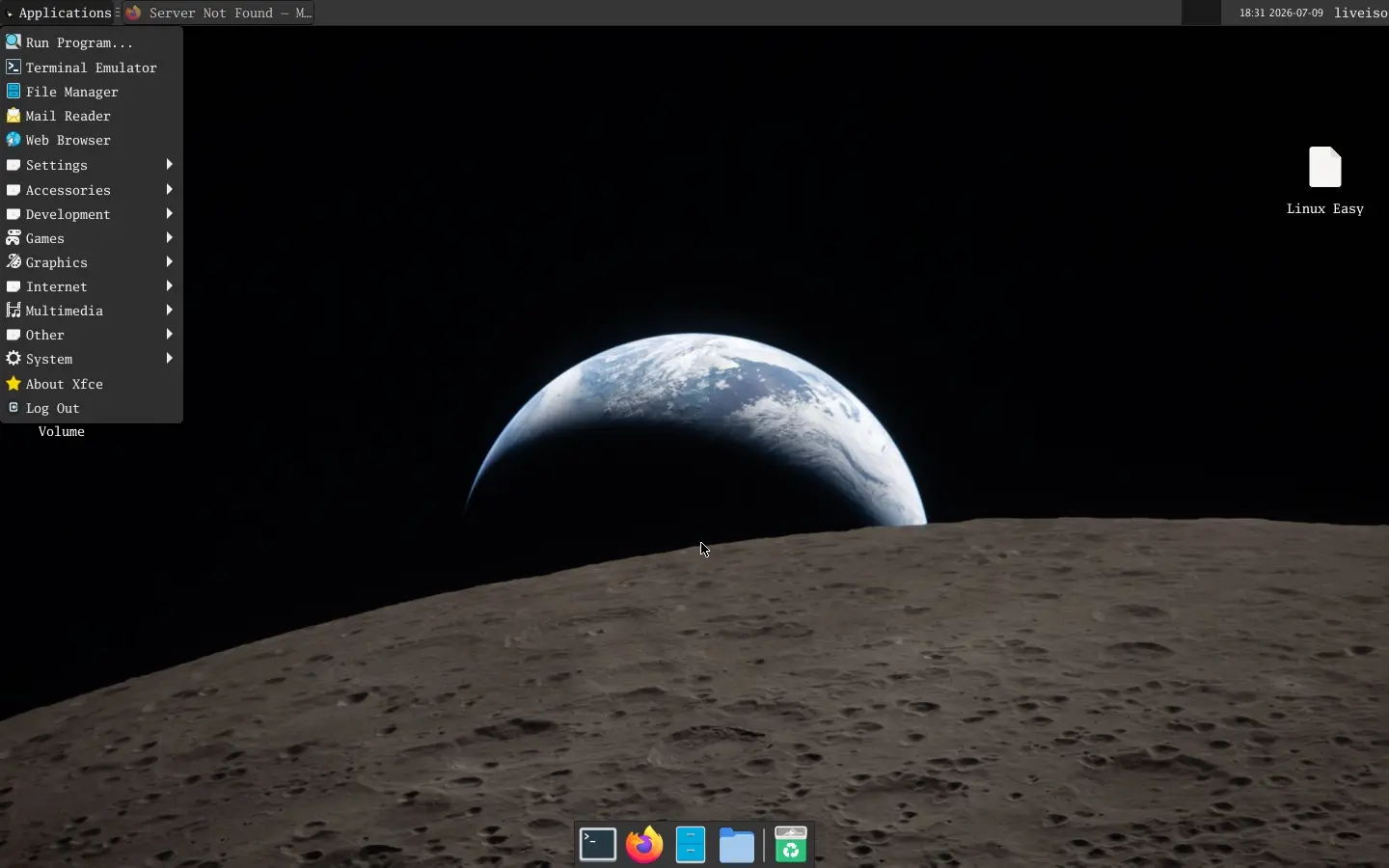
Una distribuzione costruita da zero, pronta all'uso e ideale per chi vuole conoscere davvero il funzionamento di Linux. Scopri Umbra Linux.
#Linux #UmbraLinux #LFS #OpenSource #XFCE #Wayland
https://www.linuxeasy.org/umbra-linux-la-distribuzione-basata-su-linux-from-scratch/
![[?]](https://fe.upload.disroot.org/media/f7c029f9dff5af946bc869b1abf96a8e120ab768990036d1a0222548cf526495.png)
Have a listen at https://podcast.switchedtolinux.com, via RSS feed or using your preferred method!
!!! ALL HAIL THE VAN PANTHER !!!
DESCRIPTION: "The next version of Linux Mint removes the Experimental tag from Wayland. Also, security updates and improvements are set for the next Linux Mint release."
!!! NOTE !!! This post is best viewed on a PC. Switched To Linux is, “written by a broad spectrum computer consultant to help people learn more about the Linux platform.” This account is a supporter of Switched To Linux and provides convenience posts of thumbnails art, videos and streams.
#SwitchedToLinux #Linux #Windows #Mac #Technology #Tech #AltTech #Privacy #Private #Security #Secure #FOSS #FreeAndOpenSource #FreeAndOpenSourceSoftware #FreeOpenSourceSoftware #Podcast #Patreon #Twitch #AltTech #FactCheckTrue #Fediverse #SocialMedia #Podcast #stoptheslop #wayland #linuxmint #linux
!!! Tell us what you think by filling out a "SATISFACTION SURVEY or ABUSE/SPAM REPORT" form from Teh AnKorage !!!
https://cryptpad.disroot.org/form/#/2/form/view/elsOVQUrXAmGuer4kd75JhA3mNELuCj8cTjEUynrZZo/


![[?]](https://cdn.masto.host/floss/accounts/avatars/000/145/014/original/b153a1ee08102148.jpg)
The first release candidate for Wayland 1.26 is out, with numerous stability and quality-of-life improvements from across the community.
Coming soon: Weston 16, with a lot of fun.
https://www.phoronix.com/news/Wayland-1.26-RC1
![[?]](https://social.heise.de/__virtual/accounts/avatars/112/881/119/160/228/266/original/baf7ad72ec92f728.jpg)
Linux Mint 23 brings full support for Wayland
With the new version expected at the end of 2026, Linux Mint now aims to offer complete support for Wayland. Meanwhile, it is almost on par with X11.
#IT #Linux #LinuxMint #OpenSource #Sicherheitslücken #Updates #Wayland #news
All hail the Van Panther
Click on, "Show More" or "Read More" to get the links.
DESCRIPTION of the content found at the links, below - "The next version of Linux Mint removes the Experimental tag from Wayland. Also, security updates and improvements are set for the next Linux Mint release."
==========
NOTE - This post is best viewed on a PC. Switched To Linux is, “written by a broad spectrum computer consultant to help people learn more about the Linux platform.” This account is a supporter of Switched To Linux and provides convenience posts of thumbnails art, videos and streams.
#SwitchedToLinux #Linux #Windows #Mac #Technology #Tech #AltTech #Privacy #Private #Security #Secure #FOSS #FreeAndOpenSource #FreeAndOpenSourceSoftware #FreeOpenSourceSoftware #YouTube #Odysee #Rumble #BitChute #Locals #Patreon #Twitch #AltTech #FactCheckTrue #Fediverse #SocialMedia #stoptheslop #wayland #linuxmint #linux
==========
After viewing the content located at the below links, Tell us what you think by filling out a "SATISFACTION SURVEY or ABUSE/SPAM REPORT" form from Teh AnKorage
https://cryptpad.disroot.org/form/#/2/form/view/elsOVQUrXAmGuer4kd75JhA3mNELuCj8cTjEUynrZZo/
\*Videos and podcasts may take a considerable amount of time to post. If it is not present, it will be, soon(tm).
MATRIX! Join our Matrix community where you can chat about Linux and general tech topics. Also, direct video links are provided for our Matrix community members! Don't miss out!
https://matrix.to/#/#switchedtolinux:matrix.org
#YouTube - https://www.youtube.com/@SwitchedtoLinux/videos
#Odysee - https://odysee.com/@switchedtolinux:0?view=content
#Rumble - https://rumble.com/c/SwitchedToLinux/videos
#Bitchute - https://www.bitchute.com/channel/uf9hzD216LX0
==========
Keep an eye out for a possible podcast!
PODCAST: https://podcast.switchedtolinux.com